Export, backup and getting your words out
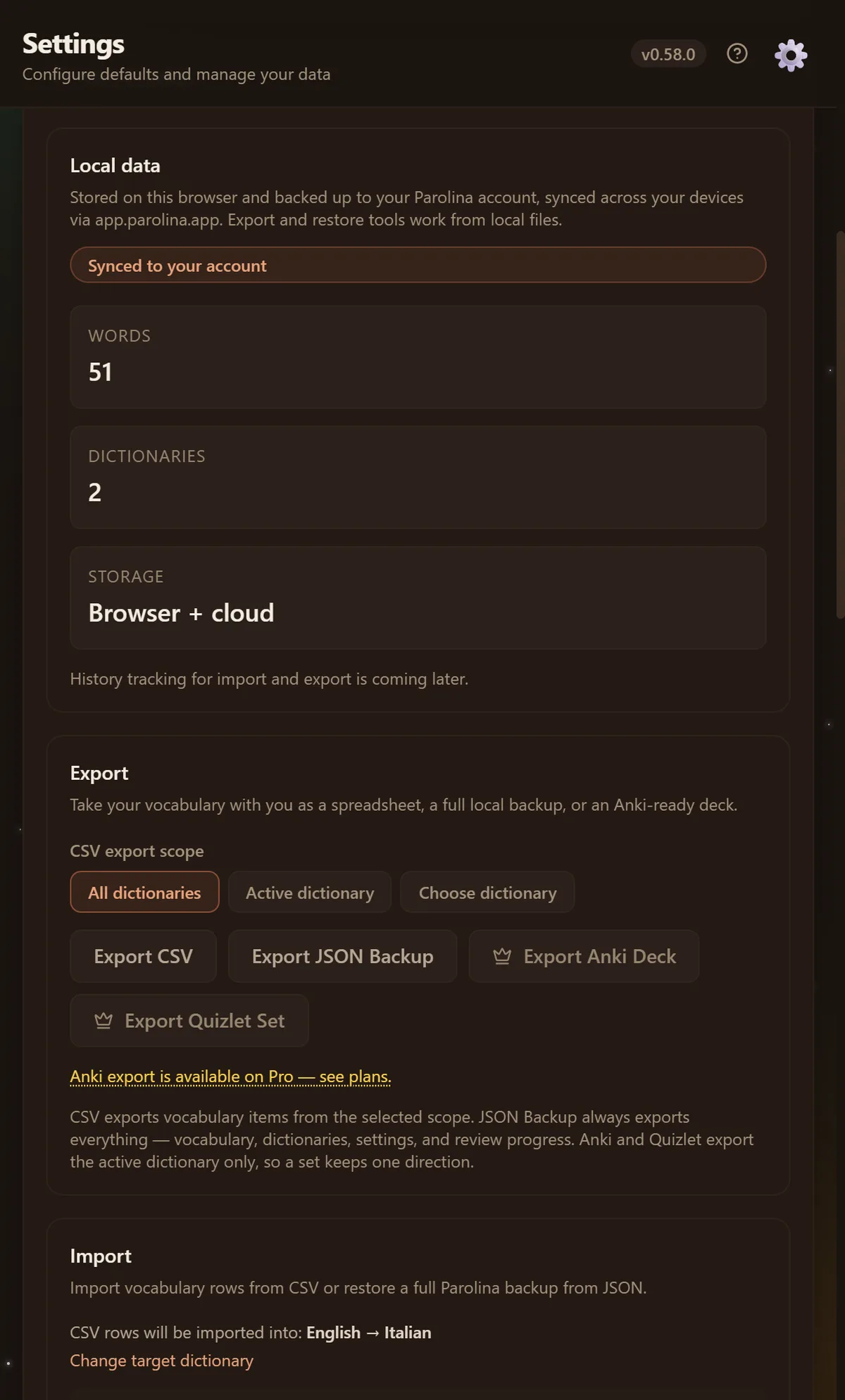
Your vocabulary is yours, and the test of that claim is whether you can leave with it. Export is free; the two flashcard formats are the Pro additions.
CSV — for a spreadsheet
Every field Parolina stores, one word per row: the word and its translation, the definitions, the sentence it came from, the page it came from, your tags and notes, and the whole review record. Free on every plan.
The file opens correctly in Excel, including accents and Cyrillic, and a file you edit in a spreadsheet and save back can be imported again — comma, semicolon and tab are all understood, because Excel writes whichever your system uses.
JSON — for a real backup
A complete backup: dictionaries, vocabulary, settings and progress, restorable in one step. Use CSV to move words somewhere else; use JSON to be able to undo a mistake.
Anki and Quizlet — Pro
An Anki deck or a Quizlet set is built from the dictionary you have open, and the file is named after it. That is on purpose: exporting every dictionary at once would put “guerra → war” and “guerra → война” in the same set, and Quizlet marks a word with two different answers wrong about half the time.
Importing
CSV import shows you what it is about to do first — a preview, duplicates skipped, and errors reported by row rather than the whole file failing at once.