Save your first word
Everything in Parolina starts with a selection. You are reading something, a word stops you, and you keep it — the rest of the product exists to bring that word back later.
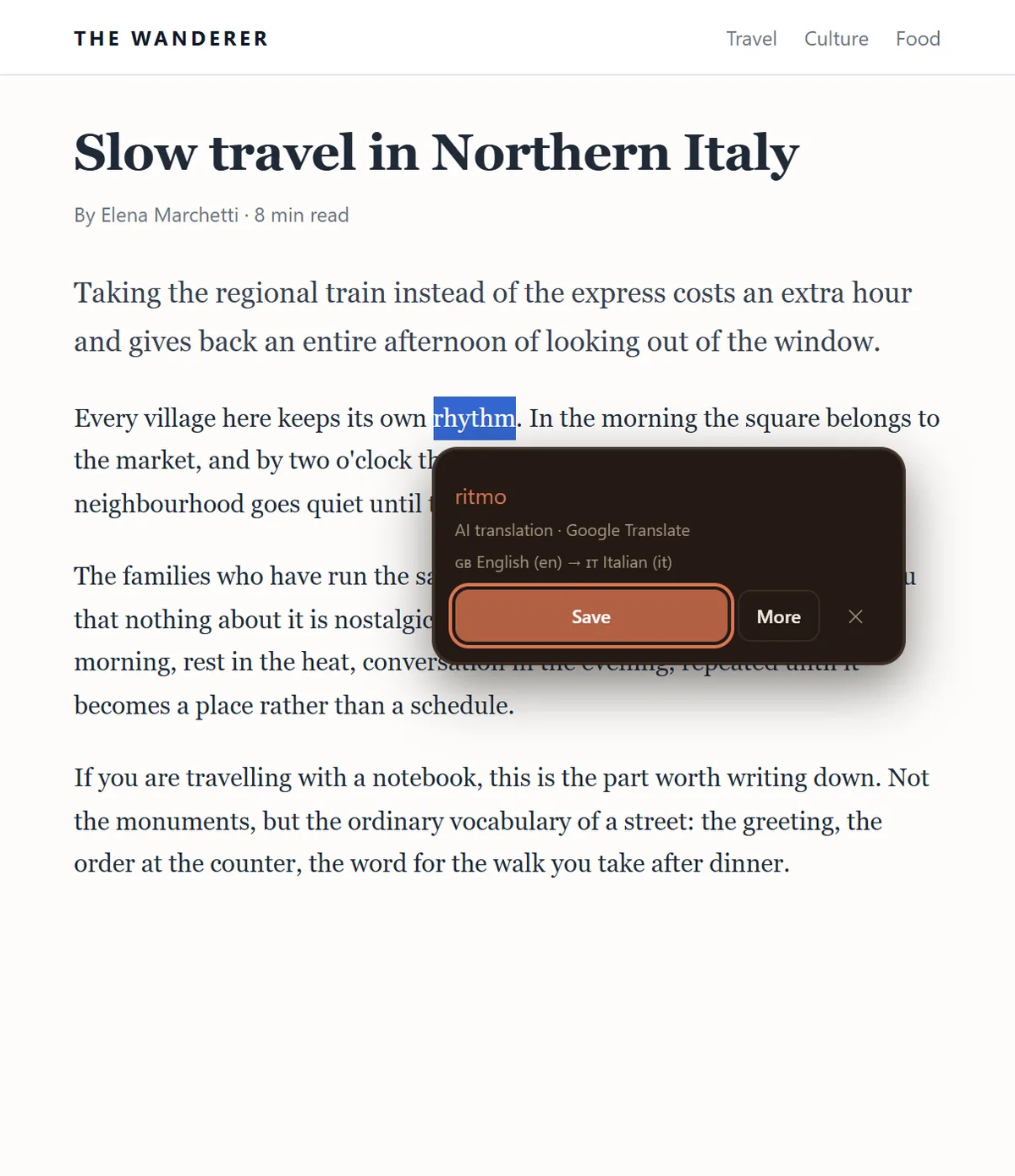
The three ways to save
- 1Select the word or phrase on the page. A small floating button appears next to your selection — click it and the save panel opens.
- 2Or leave the instant translation popup on, and the translation appears the moment you select, with a save button inside it.
- 3Or right-click the selection and choose “Save to Parolina” from the context menu.
The floating button and the instant popup are alternatives rather than companions: with instant translation on, the popup is what you get. Both can be switched off independently in Settings, and the right-click menu keeps working either way.
What gets filled in for you
By the time the panel opens, most of the card is already written: the translation, the pronunciation, the part of speech, and — for a single word — a dictionary definition with an example. The sentence you found it in and the page it came from are stored with it.
All of it is a draft. Every field is editable before you save, and the translation in particular is a machine draft from Google Translate rather than an answer — it says so under the field. If it is wrong, fix it there; a corrected word is worth more later than a fast one.
If the translation does not arrive
The word still saves. Offline, or when Google declines the request, the field arrives empty with a note saying which of the two happened, and you type the translation yourself. Nothing is lost and nothing is silently half-saved.
Phrases and whole sentences save the same way as single words. Definitions and examples are the exception — those are asked for only when the selection is a single word, because a dictionary has no entry for a sentence.